Selection#
The Selection element allows selection of 1 or multiple options.
Settings:
- Required: If checked the User cannot complete the UI without selection an option
- Disabled: If checked the User cannot update the selection and the value should be set from the Flow
- Allow multiple selection: If checked the can select more than 1 option
- Show label: If checked the element label will not be shown above the input but only as placeholder
- Display style: Controls how the options are presented to the User
- Checkboxes: Options are shown as checkboxes
- Dropdown: Options are shown in a dropdown menu
- Buttons: Options are shown as clickable buttons
- Tiles: Options are shown as selectable tiles
- Button width (only for Buttons display style): Controls the width of the buttons
- Dynamic: Each button width adapts to its content
- Equal: All buttons have the same width
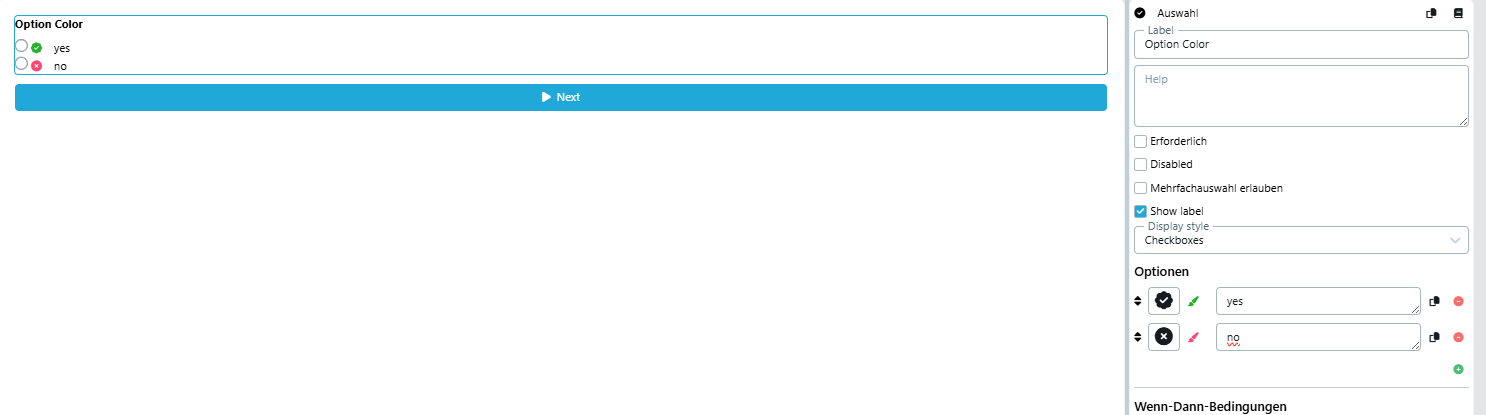
Each option can be configured with:
- Icon: An optional icon displayed next to the option label
- Option color: An optional color that is applied to the icon of the option. The color can be removed with the × button.
- Label: The display text of the option (supports multiple languages)
Conditions: There are 4 types of conditions - All selected, None selected, At least one selected, One or more not selected Every option can be used as condition e.g. If "Option 3" selected
See UI Designer